VSpace Update
Jump to navigation
Jump to search
Goals
Verify that you are using the latest vSpace server
This step is just to confirm we are current. Generally, if there is an update for this, we can download the package separately, and include it on the EJP Recovery Drive.
Procedure
Connect to Internet
- We need to conenct to the Internet to check for an update.
- See Switching to Internet Access
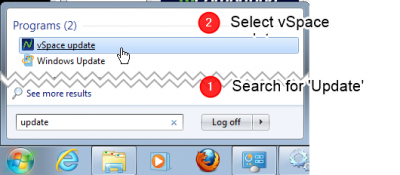
Open vSpace Updater
.png)
- Open Start Menu
- Search for Update
- Open vSpace Update
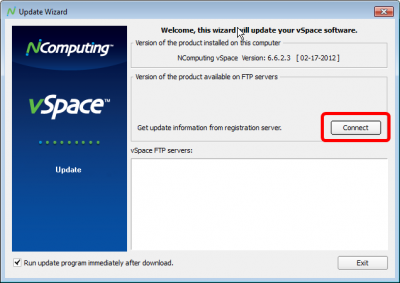
Press Connect
.png)
- Press the Connect button
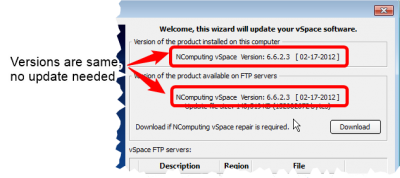
Observe no update needed
.png)
- If the versions are the same, then do nothing
- If there was an update, then
- Let it download
- Save a copy to the EJP Recovery Drive
- Install the new version
- Note that if you do an upgrade, you may need to Upgrade the Firmware on the clients