Choose a boot device
Jump to navigation
Jump to search
Goals
Select a specific device to boot from
As per our BIOS Boot settings we will always boot from the Hard drive. Sometimes, we may not want to do that for maybe a fresh install or a Full restore from the Backup.
Procedure
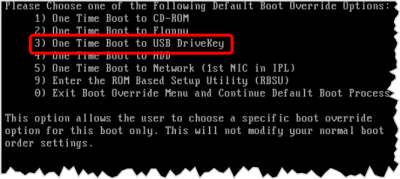
Enter the Boot Overrride Menu

- At the Logo POST, you are given an option to press F9 to enter the BIOS setup, or Press F11 to choose a boot device.
- Generally, if you aren't booting from the hard drive, then you will want to boot from the USB Drivekey
- This will boot from the Internal recovery drive, unless you change the BIOS Boot settings to allwo booting from external USB drives