Windows Multipoint Licensing
Jump to navigation
Jump to search
Goals
Advise Mutlipoint server of our licesing situation
We need to tell Multipoint server that we have the appropriate Client Acces Licenses(CALs).
Procedures
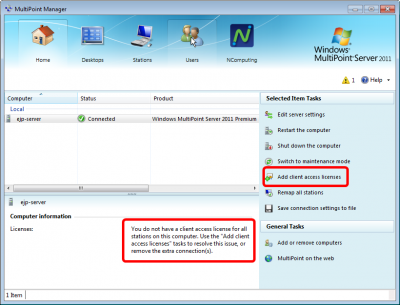
Open the Multipoint Manager
.png)
- Observe there is a warning message about not having enough client access licenses
- Click on Add client licenses
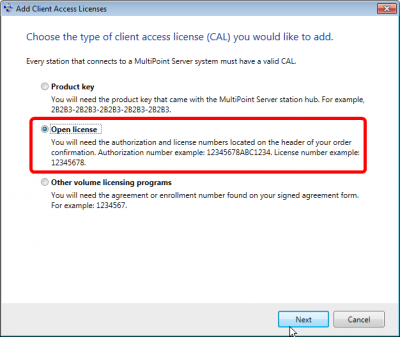
Choose License Type
.png)
- Select Open License
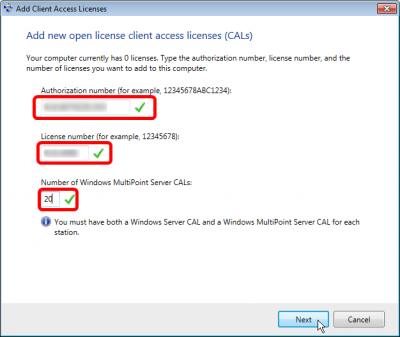
Enter License Details
.png)
- This form will validate the numbers as you type them
- Enter the Parent Program Number for Authorization number
- Enter the License Details Number for License Number
- Enter 20 for the number of licenses
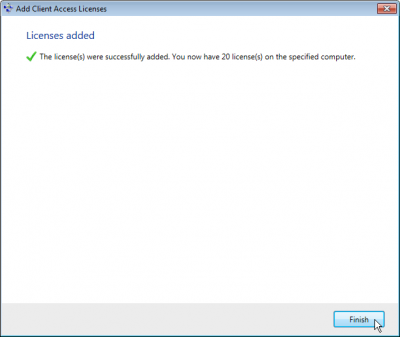
Success
.png)
- Hooray!