Text to Speech for Word
Jump to navigation
Jump to search
Goals
Add a button for Text to Speech
The text to speech feature of word will read text to you aloud. Adding this button give you quick access to read the text.
Procedure
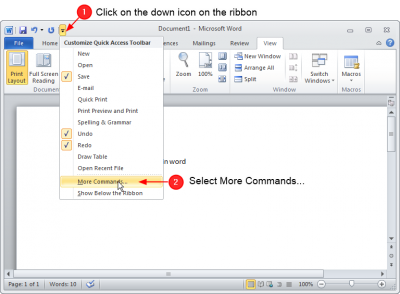
Edit the Ribbon

- Click on the little 'down' icon to open ribbon settings
- Click on Mode commands...
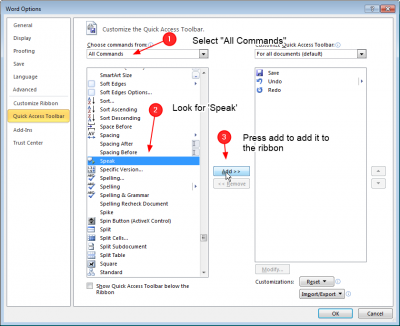
Find the Speak Command

- Select the All Commands list
- Find Speak in the very long list
- Press Add to add it to the ribbon
- Press OK
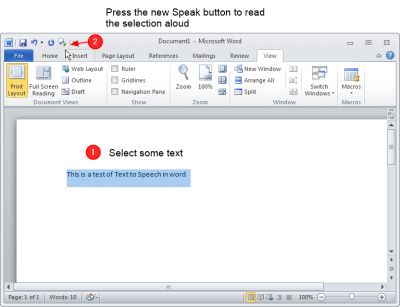
Try out the new Speak button

- Select some text
- Press the button in the ribbon
- Listen the the text