Remove the NComputing app from the system tray
Jump to navigation
Jump to search
Remove The
Goals
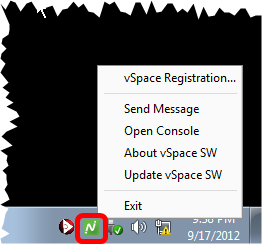
There is a small program called nctray.exe that is added by default to the Startup folder for all users. I'm not certain why they chose to do this. There is nothing useful there for regular users. Since this shortcut is there for all users, then a copy of it is running for each user who logs in.
The Start menu is comprised of shotcuts that are stored in various folders in well known locations. Some of the are specific to users, and others apply to averybody. We will Browse the programs for all users, and remove the shortcut.
Remove The nctray.exe shortcut.

- Saves system resources
- Removes an otherwise distracting icon from the system tray
Procedures
Open the Public Start Menu in the Explorer

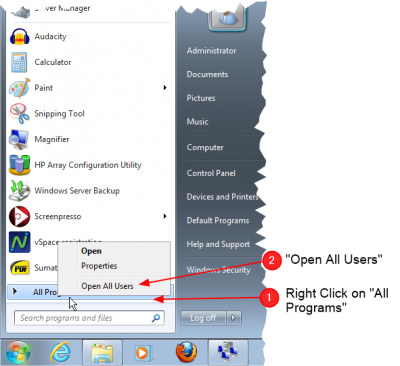
- Open the Start Menu
- Right-click on All Programs
- Select Open All Users
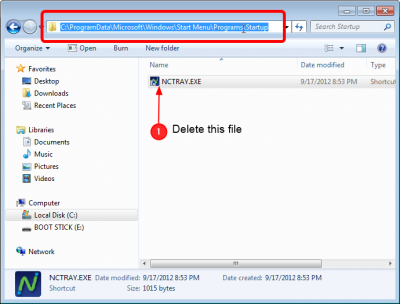
Observe the Public startup folder

- You should now see an explorer window that is open to the path
C:\ProgramData\Microsoft\Windows\Start menu\Programs\Startup\ - Delete the NCTRAY.EXE shortcut
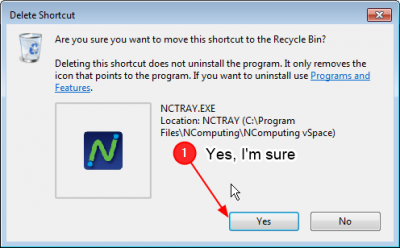
Confirm Delete

- Note this only deletes the shortcut, it does not delete the program