Open the Local User Manager
Jump to navigation
Jump to search
Goals
The Local User Manager allows you to manage users as individuals and/or Groups. It allows you to inspect, remove and add users from Groups, and to inspect, create, delete, and rename Groups. It is necessary for:
- updating membership in Groups
- and for assigning, or changing permissions to Groups for accessing restricted-use folders in Public Documents.
Procedures
Opening the Local User Manager as Administrator

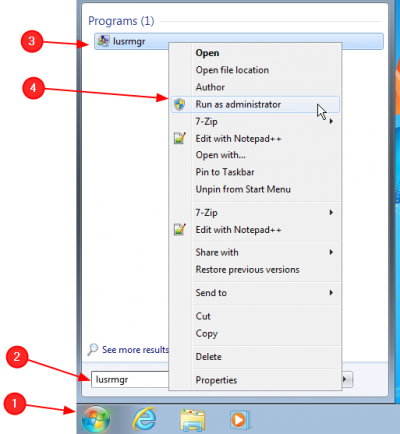
- Press the Start Button
- Type lusmgr
- Observe that as you type the shortcut list is shortened to match your search
- Right-click on the shortcut
- Observe that the context menu appears
- Click on Run as administrator item
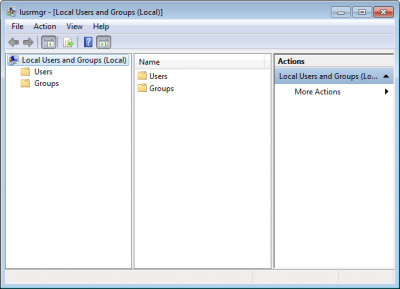
Observe the Local User Manager opens
.png)