HP ProLiant Support Pack
Jump to navigation
Jump to search
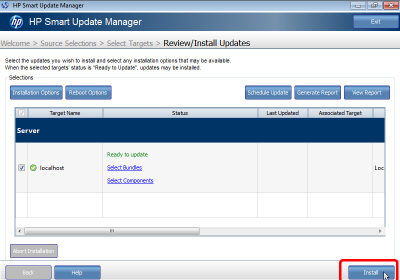
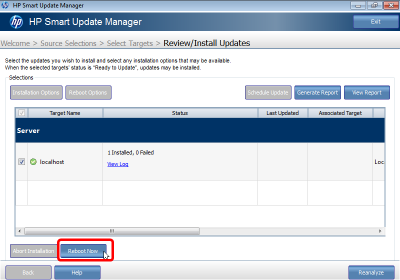
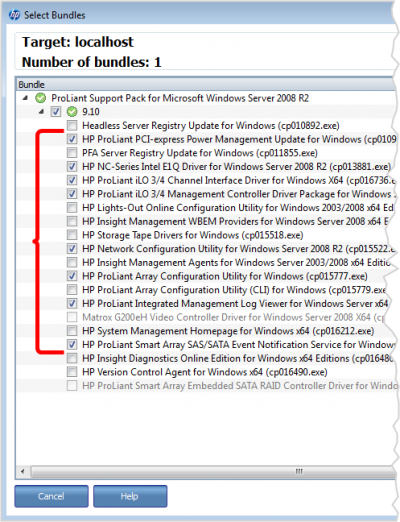
If that link fails in the future, Generall you are looking for the HP Proliant Support Pack for the HP Proliant M110 G7 for Windows 2008 R2.
Goals
Graphics drivers on the first pass of the Proliant Support pack
The installer for the support pack unfortunately does not display well on a small resolution screen. It will be much easier to navigate the tool when we have at least the display driver installed
Install the Rest of Select Proliant Support tools
After we install the driver and give it a reboot, it will be much easier to proceed with the remaining support tools and device drivers
Procedures
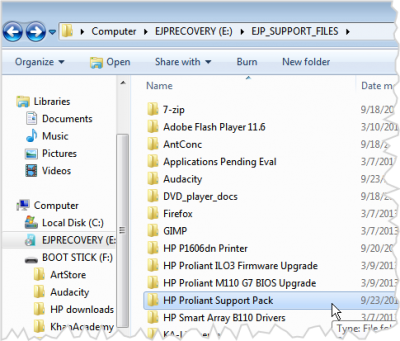
Locate the Support pack on Recovery Drive
.png)
- Should be in a folder called HP Proliant Support Pack
- Double click the installer in that directory
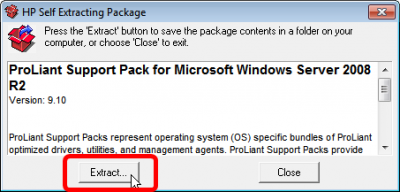
Extract the support tools
.png)
- The support tools works by storing a local repository of tools and drivers on the local drive
- Select Extract
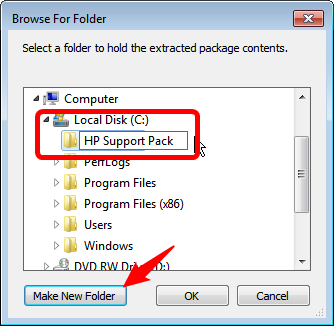
Create a new directory on C:\
.png)
- When prompted create a new directory, C:\HP Support pack
- The installer will extract the tools there
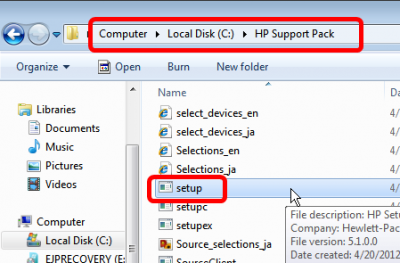
Run the setup.exe
.png)
- Once the extraction is complete, run the setup.exe that is located in the new directory
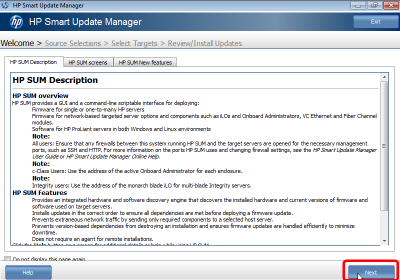
Description of Smart Update Manager
.png)
- Observe that this screen tell you a little about how the Smart Update Manager works
- Press next
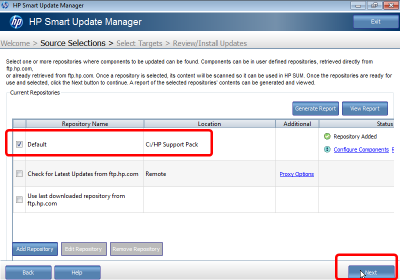
Only the local repository
.png)
- You will get an option to select remote repositories. Just leave the default local repository.
- Press next
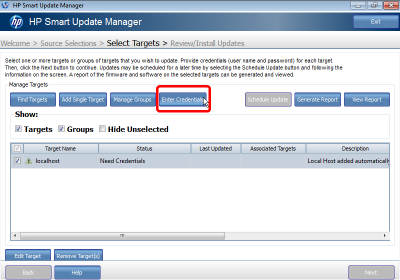
Enter Credentials
.png)
- This may seem strange since we are already logged in, but it requires that we supply the administrator credentials to access the repository.
- Press Enter Credentials
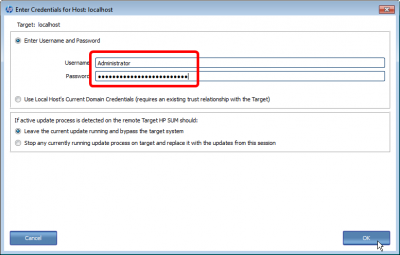
Supply the Admin credentials
.png)
- Supply the administrator username and password
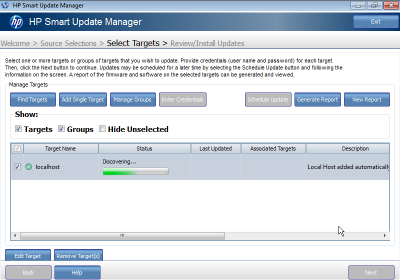
Wait for discovering packages
.png)
- Now it scans the directory for available packages to offer to you
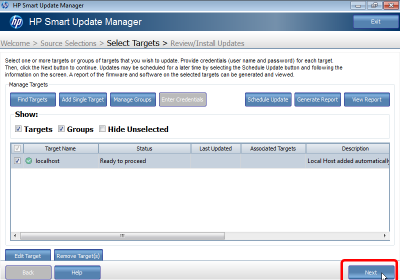
When it is ready, press next
.png)
- Press next then it says Ready to Proceed
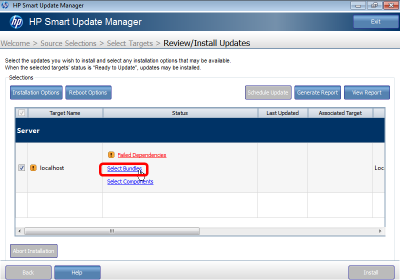
Select Bundles
.png)
- Choose Select Bundles
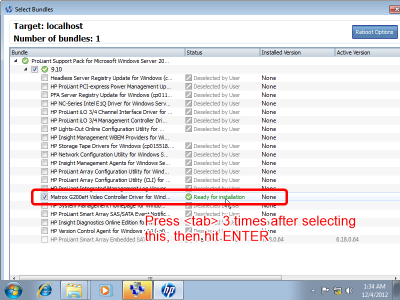
THIS IS TRICKY
.png)
- Our screen resolution will be too small to show the whole window.
- Select only the Matrox G200eH Video Controller bundle
- We'll install the rest on the next pass, whne we can see better
- After selecting the package, Carefully press the TAB key 3 times, then press Enter
Good job, you made it to the next screen
.png)
- If you see this screen, then you hit the right keys.
- If you don't see this, maybe hit escape a few times and try again
- Press next
After the install, reboot
.png)
- Choose to Reboot Now after the install completes
Now repeat the process to enter the Bundle Selection
.png)
- After it comes back from reboot, you'll be able to see much better
- Select the following 8 packages
- HP Proliant PCI-Express power management update
- HP NC-series Intel E1Q driver
- HP Proliant iLO 3/4 Management Driver
- HP Proliant iLO 3/4 Channel interface Driver
- HP Network Configuration Utility
- HP Proliant Array configuration utility
- HP Integrated Management Log Viewer
- HP Proliant Smart Array event notification