Addins for Excel
Jump to navigation
Jump to search
Goals
The Addins for Excel add some additional tools.
Solver
Solvers, or optimizers, are software tools that help users determine the best way to do something.
Data Analysis toolpak
Statistical analysis tools
Installation Procedure
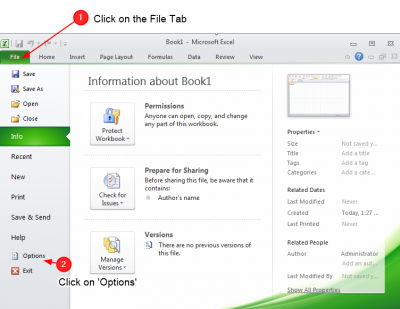
Open the File Menu

- Click on Options

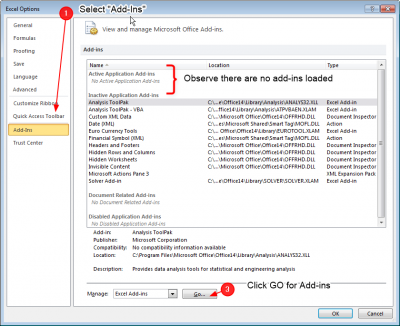
- On the Options page, select Add-ins
- Observe there are no loaded addins
- Select Excel Add-ins
- Press Go
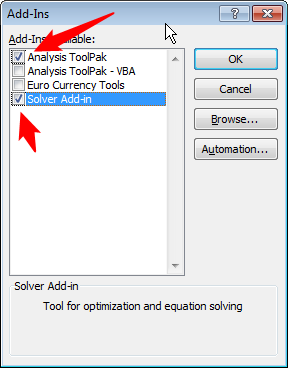
Select the addins to install

- Select the Solver
- Select the Data Analysis toolpak
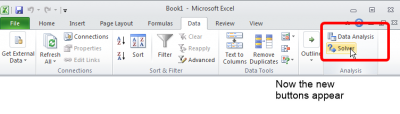
Now the new button will appear

- Now observe that some new buttons are availanble on the Data pane